 StepMirror: Dance Practice
Put the routine next to yourself, and dance.
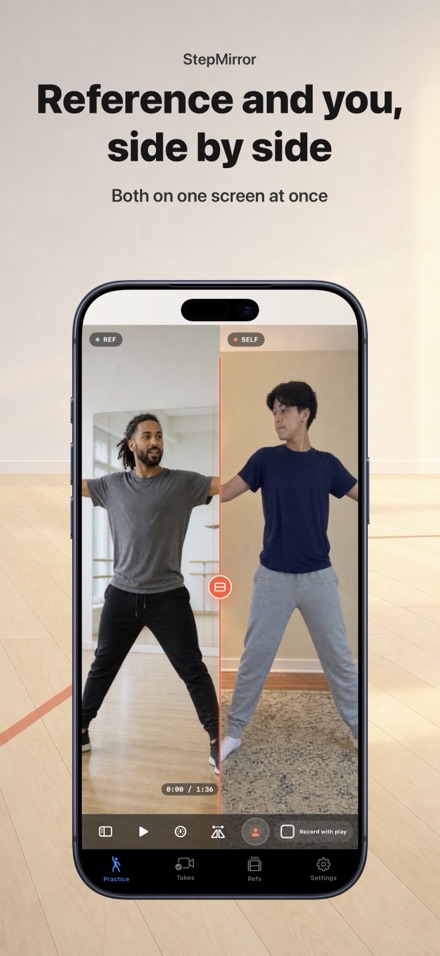
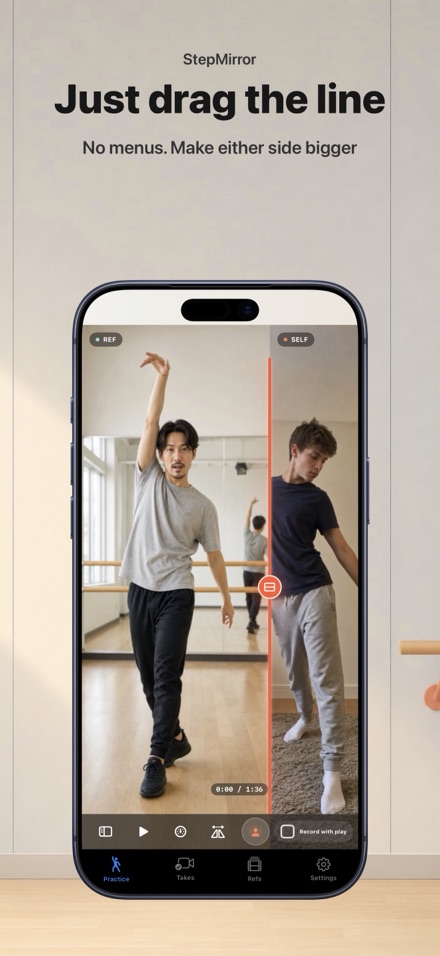
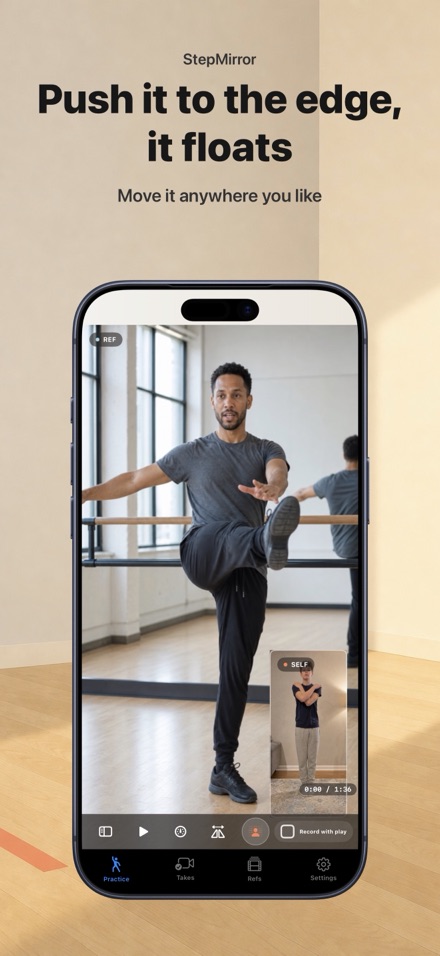
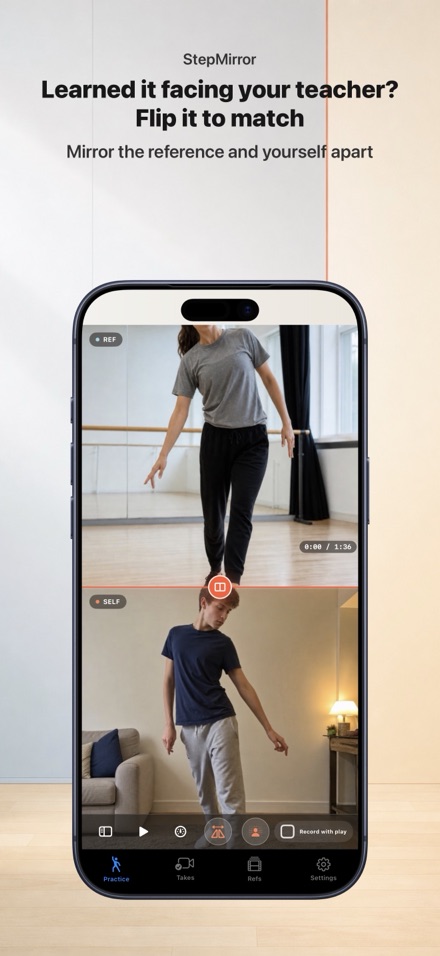
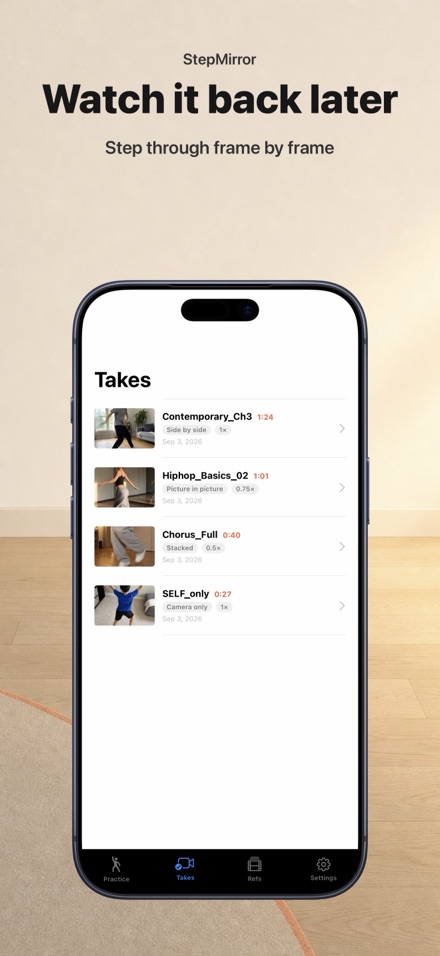
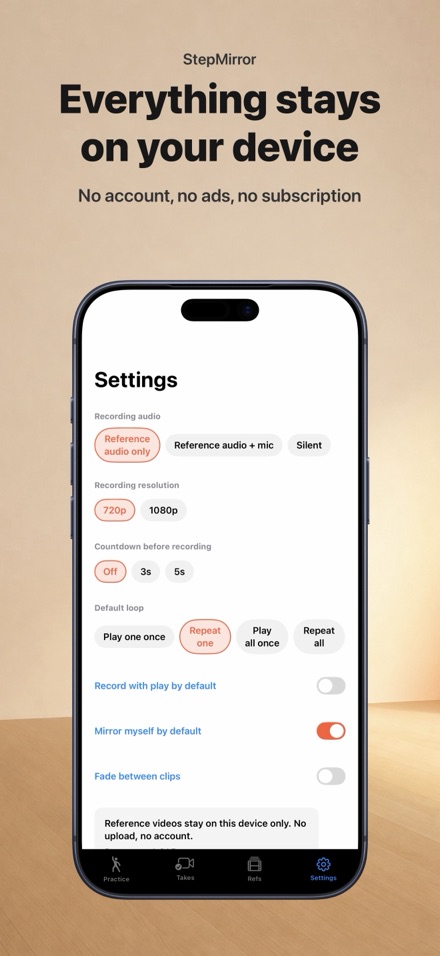
Put the routine you are learning next to yourself, and dance. StepMirror shows a reference video and your front camera on one screen at the same time. Drag the dividing line to change how much space each one gets. Push it all the way to the edge and the other one becomes a small floating window you can move anywhere. There are no layout menus - one line does it all. Line up several clips at once. The eight-count drill, the chorus, the full run - pick them all and they play in order. Leave it looping the one part you keep getting wrong, or loop the whole set and just keep going. On iPad it opens up properly: the playlist stays on the left, the reference and you sit side by side at close to full size, and every speed is one tap away. Stand it on the floor and dance. Slow the reference down to a quarter speed without the music dropping in pitch. Flip the reference left-to-right when you learned the steps facing your teacher. Flip yourself, or don't - your camera is mirrored by default, like a studio wall. Record what you see. Not a separate export, not a different crop - exactly the screen you were looking at, with the reference audio on it. Watch it back later, step through it frame by frame, and save it to Photos if you want to keep it. Everything stays on your device. No account, no upload, no ads, no subscription. You bring your own reference videos from your library or files - the app never sends them anywhere. - Reference video and front camera together, on one screen - Drag the divider: side by side, stacked, or picture-in-picture - Queue up several clips and play them back to back - Loop one clip, loop the whole list, or don't loop at all - Built for iPad: playlist always visible, both videos stay big - 0.25x / 0.5x / 0.75x / 1x, with pitch-corrected audio - Mirror the reference and yourself independently - Record the composed screen with the reference audio - A-B loop on the hard eight counts, per clip - Camera-only takes when you just want to check yourself - Frame-by-frame review of everything you recorded - Works without camera permission (playback still does everything) - One purchase. No subscription.
Download on the App StoreFeatures
Reference and you, one screen
StepMirror shows the routine you are learning and your front camera at the same time, on one screen. Drag the dividing line to change how much space each one gets — push it all the way to the edge and the other one becomes a small floating window you can move anywhere. One line does everything a layout menu would.
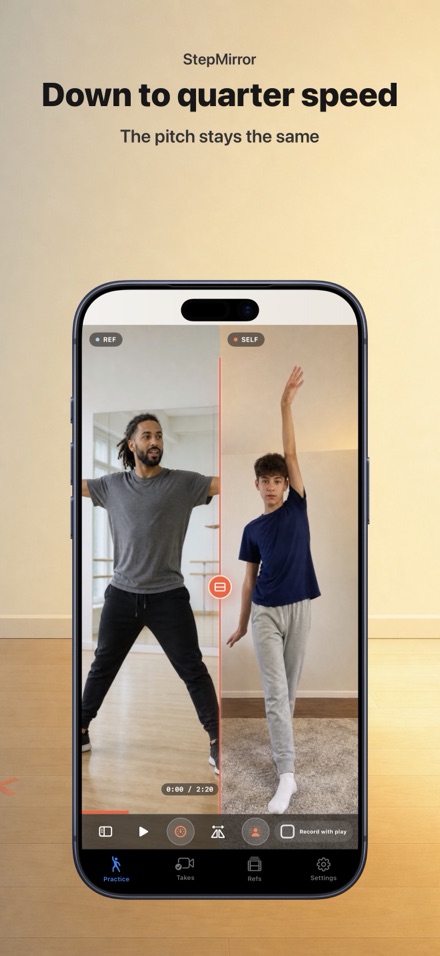
Slow it down without losing the pitch
Slow the reference down to a quarter speed and the music keeps its pitch — no chipmunk voice, no dragging bass. Flip the reference left-to-right when you learned the steps facing your teacher, and flip yourself independently, or not at all.
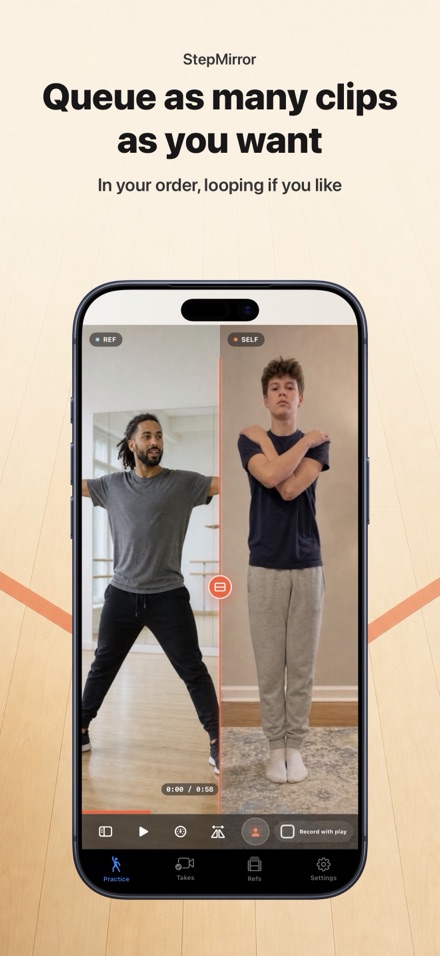
Line up several clips
The eight-count drill, the chorus, the full run-through — select several reference clips at once and they play back to back in the order you chose. Loop just one of them, loop the whole set, or set an A-B loop on the hard eight counts inside a single clip.
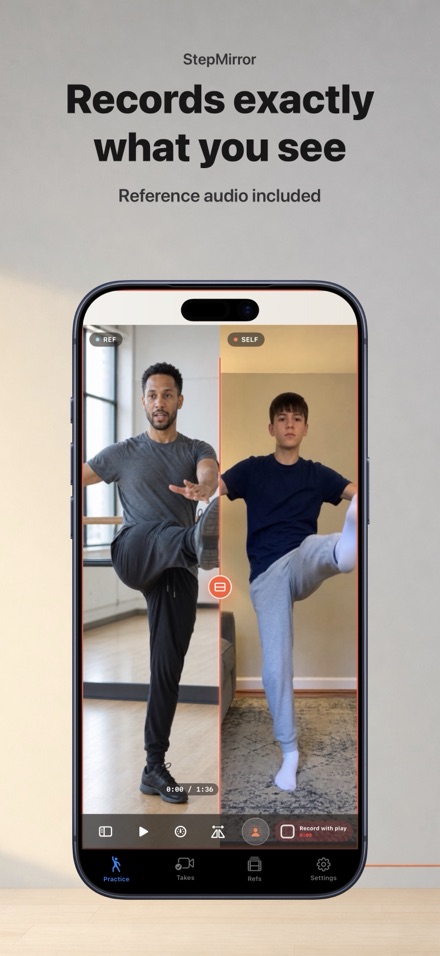
Record exactly what you see
One tap records the composed screen exactly as you were watching it, with the reference audio on it. Not a separate export, not a different crop. Watch it back later and step through it one frame at a time.
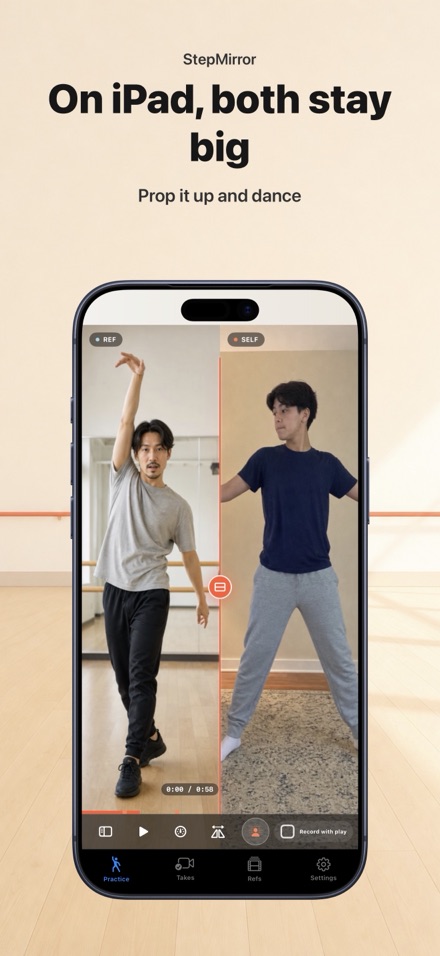
Built for iPad
Stand your iPad on the floor and dance. The playlist stays visible on the left, the reference and you sit side by side near full size, and all four speeds are on screen at once — no menus to dig through mid-routine.
Nothing leaves your device
No account, no upload, no adverts, no subscription. Reference videos come from your own library or files and are kept only on your device. Recordings stay on your device until you choose to share or save them yourself.
Screenshots